> ## Documentation Index
> Fetch the complete documentation index at: https://gcore.com/docs/llms.txt
> Use this file to discover all available pages before exploring further.
# Load content to the CDN before users request it
Use Prefetch to upload the content to CDN cache before users request it.
1\. Go to the [CDN](https://portal.gcore.com/cdn/resources/list) section in the Gcore Customer Portal and find **Prefetch**.
2\. Choose the desired CDN Resource.
3\. In the field write paths to the files without a domain name, e.g. `path/file1.jpg`, that you want to prepopulate to the CDN.
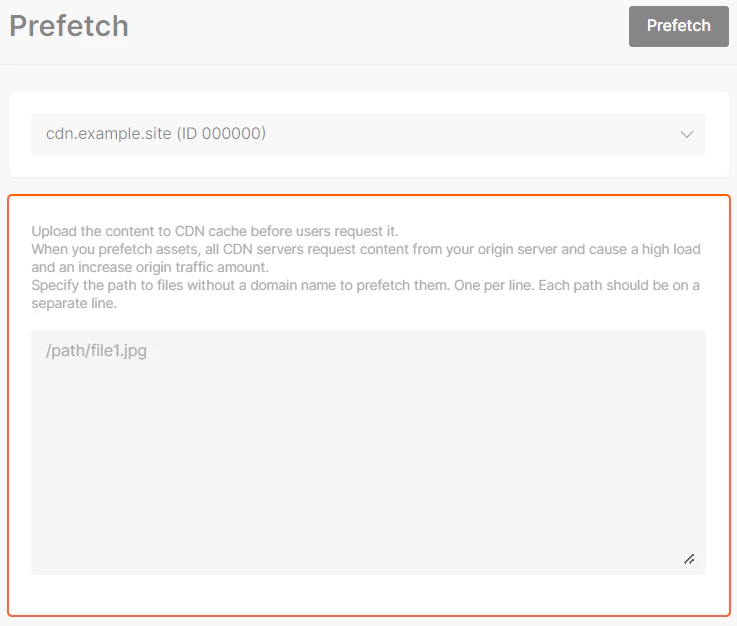 4\. Click on **Prefetch**.
**Important!**
* Prefetch is recommended only for files that **more than 200 MB and less than 5 GB.**
* If you need to update files stored in the CDN, first [purge](/cdn/clear-cdn-resource-cache-by-url-pattern-or-all) these files and then prefetch.
* One request for prefetch may content only up to 100 paths to files.
* There is only 1 request per minute available.
4\. Click on **Prefetch**.
**Important!**
* Prefetch is recommended only for files that **more than 200 MB and less than 5 GB.**
* If you need to update files stored in the CDN, first [purge](/cdn/clear-cdn-resource-cache-by-url-pattern-or-all) these files and then prefetch.
* One request for prefetch may content only up to 100 paths to files.
* There is only 1 request per minute available.