> ## Documentation Index
> Fetch the complete documentation index at: https://docs.gcore.com/llms.txt
> Use this file to discover all available pages before exploring further.
# Access DCImanager
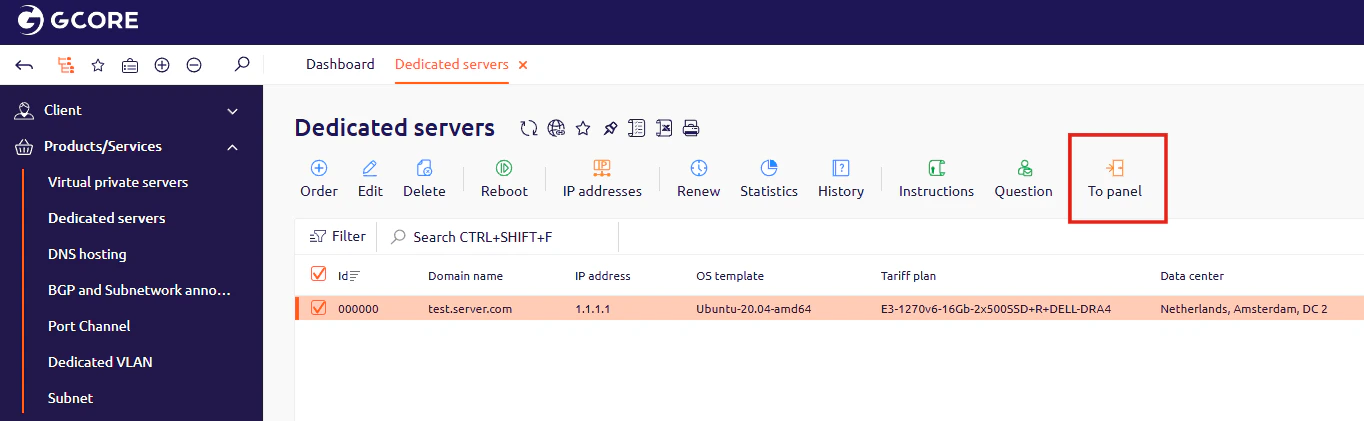
DCImanager is a control panel for managing dedicated server hardware. To open it, navigate to the **Dedicated servers** section in the hosting [Control Panel](https://hosting.gcore.com/billmgr) and click **To panel**. DCImanager opens in a new browser tab and authenticates automatically.
 ## Restart or power off the server
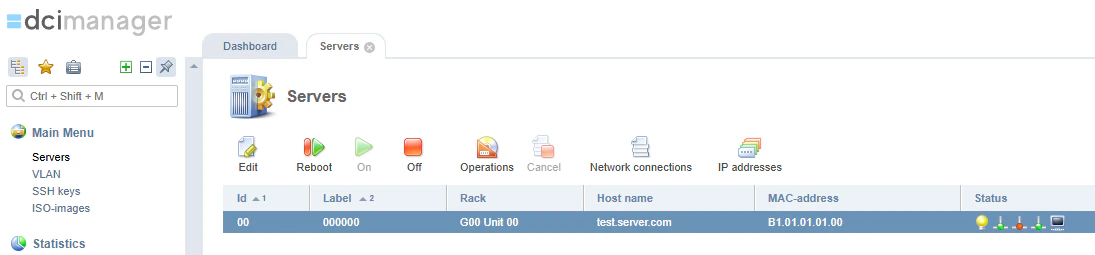
In DCImanager, navigate to **Servers** in the left navigation. Select the server from the list, open the actions menu (three-dot icon), and click **Restart**. To power off the server, select **Power off** from the same menu.
## Restart or power off the server
In DCImanager, navigate to **Servers** in the left navigation. Select the server from the list, open the actions menu (three-dot icon), and click **Restart**. To power off the server, select **Power off** from the same menu.
 If DCImanager does not open or an error appears, [contact technical support](/hosting/contact-our-technical-support) and attach a screenshot of the error.