> ## Documentation Index
> Fetch the complete documentation index at: https://gcore.com/llms.txt
> Use this file to discover all available pages before exploring further.
# Check the payment history
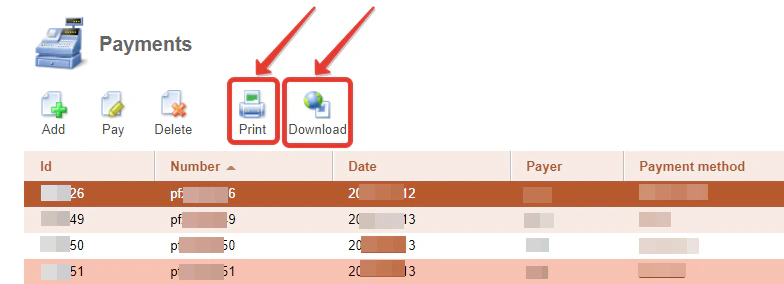
To see payment history in the Control Panel, go to "Billing" → "Payments".
You can look at and save an invoice for each payment. Select a payment and click "Print" to open an invoice in a new tab. If you need a PDF file, click "Download".