> ## Documentation Index
> Fetch the complete documentation index at: https://gcore.com/docs/llms.txt
> Use this file to discover all available pages before exploring further.
# Not safe for work (NSFW) detection
Not safe for work (NSFW) content moderation task identifies and filters materials that are inappropriate for workplace environment.
Our algorithm flags content as NSFW if it's potentially unsuitable for viewing in public places. If such content is detected, the AI model will provide its confidence level (in percentage) of how sure it is that the content is NSFW.
To run the NSFW detection check:
1\. In the Gcore Customer Portal, navigate to **Streaming** > **AI**. The **AI tasks** page will open.
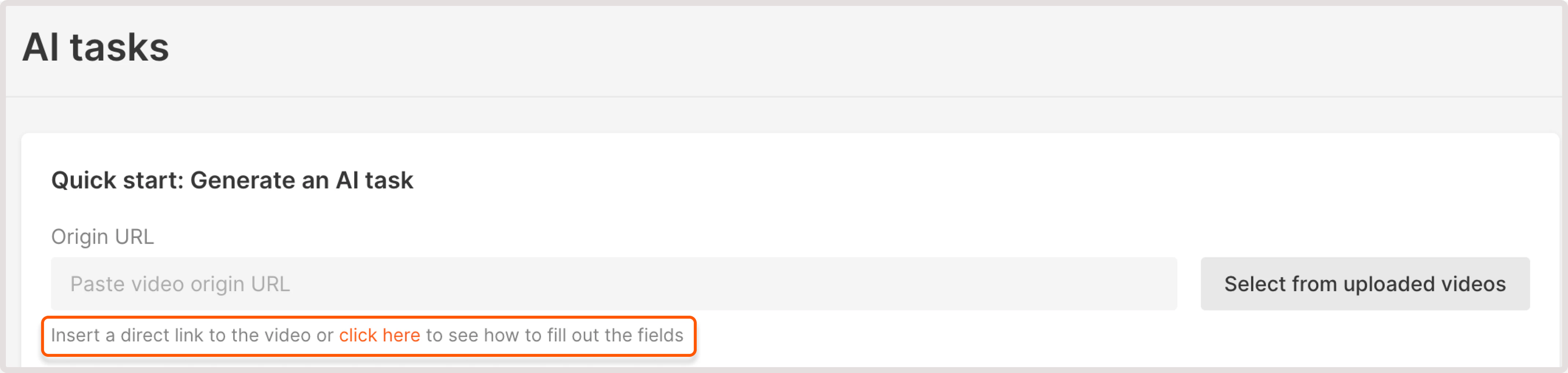
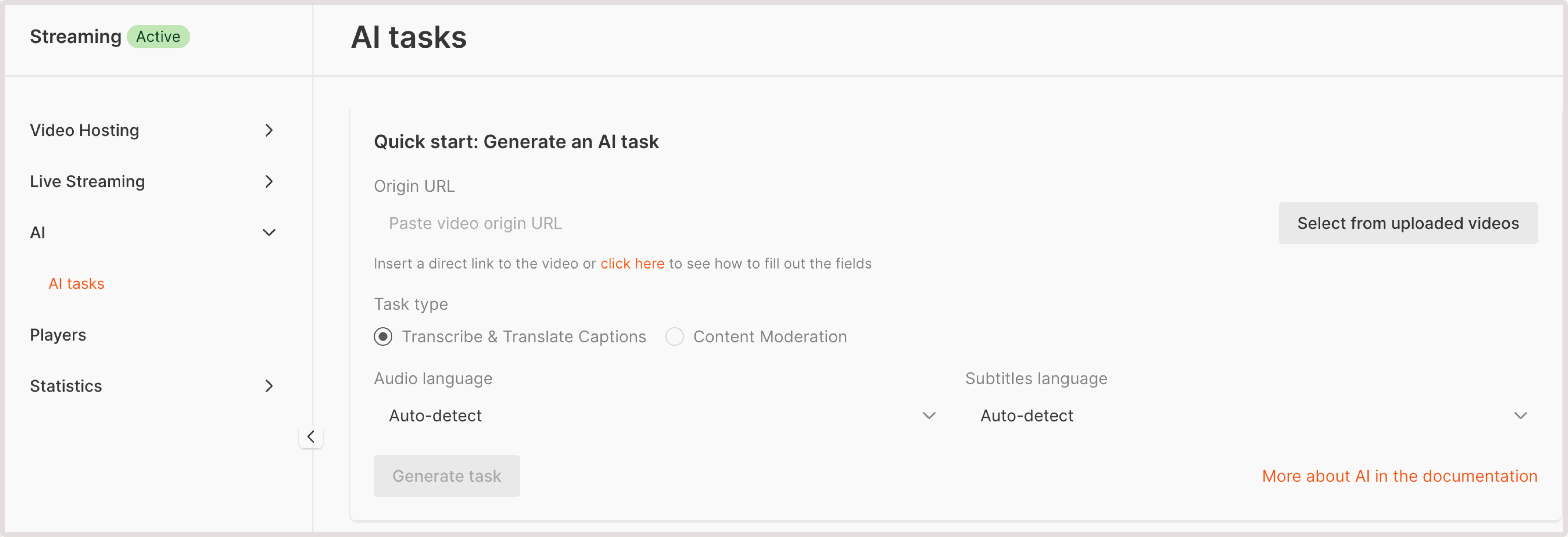 2\. In the **Origin URL** field, enter the link to your MP4 video. You have two options:
* **Paste video origin URL** : If your video is stored externally, provide a URL to its location. Ensure that the video is accessible via HTTP or HTTPS protocols.
To check the example of correctly formatted URL, use the link under the field. It will autogenerate a sample URL and you can adjust your URL accordingly.
2\. In the **Origin URL** field, enter the link to your MP4 video. You have two options:
* **Paste video origin URL** : If your video is stored externally, provide a URL to its location. Ensure that the video is accessible via HTTP or HTTPS protocols.
To check the example of correctly formatted URL, use the link under the field. It will autogenerate a sample URL and you can adjust your URL accordingly.
 * **Select from uploaded videos** : choose a video hosted on the Gcore platform.
3\. In the **Task type**, choose **Content moderation**.
4\. In the following dropdown, select **NSFW detection**.
5\. Click **Generate task**.
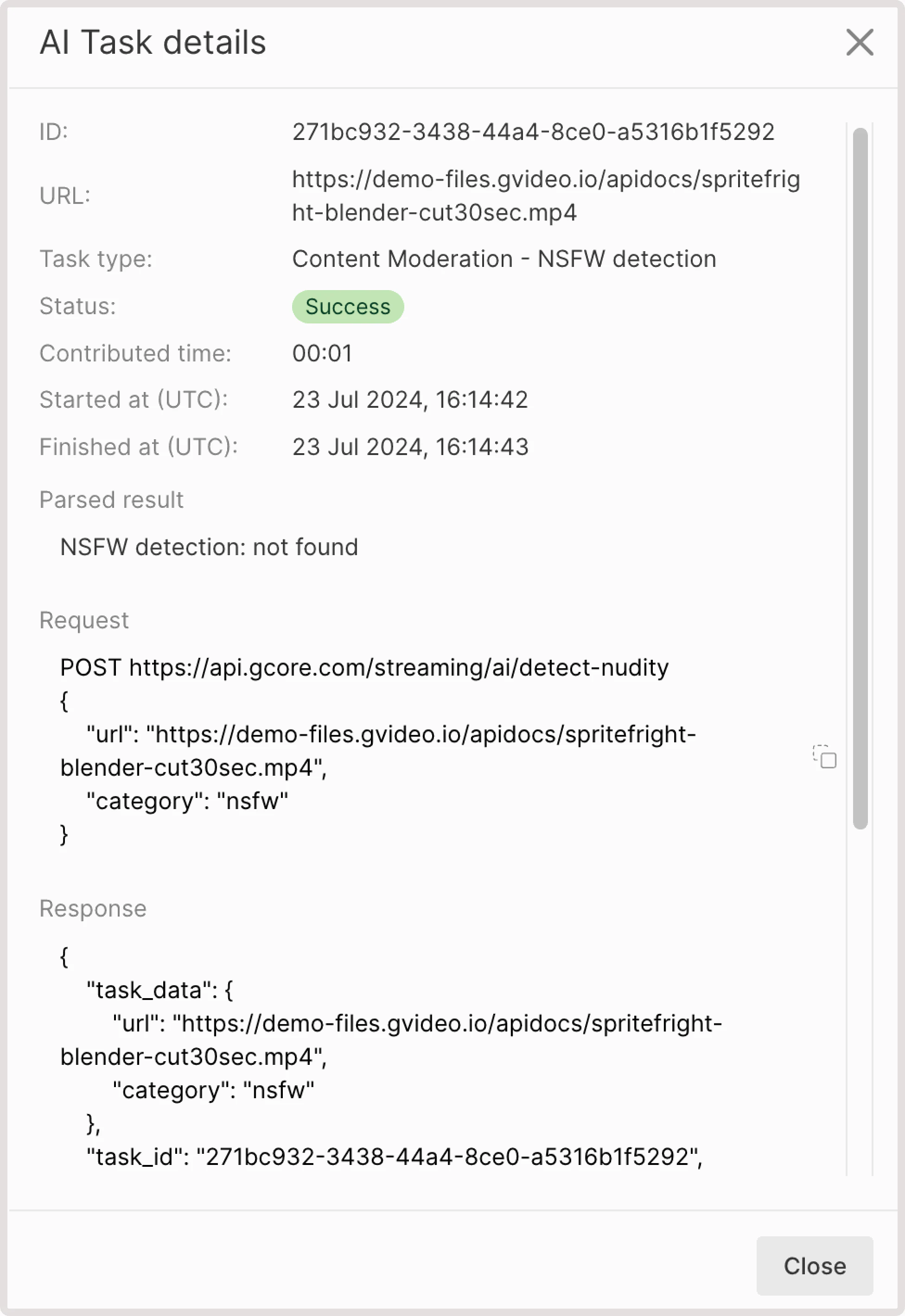
6\. Wait until the task is processed and has the **Success** status, click the task ID to view task details.
7\. Check out the **Task result** field. You can have one of the following outputs:
* **NSFW detection: not found**. This means that your video has no NSFW content.
* If some sensitive content is found, you'll get the info about the detected element, relevant iFrame, and the confidence level in % of how sure AI is that this content is NSFW. For example, you can get the following output: *"nsfw: detected at frame №2 with score 41%".*
* **Select from uploaded videos** : choose a video hosted on the Gcore platform.
3\. In the **Task type**, choose **Content moderation**.
4\. In the following dropdown, select **NSFW detection**.
5\. Click **Generate task**.
6\. Wait until the task is processed and has the **Success** status, click the task ID to view task details.
7\. Check out the **Task result** field. You can have one of the following outputs:
* **NSFW detection: not found**. This means that your video has no NSFW content.
* If some sensitive content is found, you'll get the info about the detected element, relevant iFrame, and the confidence level in % of how sure AI is that this content is NSFW. For example, you can get the following output: *"nsfw: detected at frame №2 with score 41%".*