> ## Documentation Index
> Fetch the complete documentation index at: https://gcore.com/docs/llms.txt
> Use this file to discover all available pages before exploring further.
# Tag rules
As part of the [WAAP custom rules](/waap/waap-rules/custom-rules), you can create rules based on specific tags to filter incoming traffic. A **tag** contains information about a user and is attached to their request. Tag rules are just one component of our robust rule engine.
## Types of tag rules
You can use two types of tag rules:
* Tag-based rules. Create rules using our [predefined set of tags](/waap/waap-rules/custom-rules/tag-rules/predefined-tags).
* Tag-generating rules. You can create rules that will generate tags based on specific conditions. For example, if the request contains a certain header, tag such request with `tagname`. These generated tags are also known as [user-defined tags](/waap/waap-rules/custom-rules/tag-rules#tag-generating-rules) and they can be used to modify custom rules and create more complex ones.
**Info**
We recommend [inspecting the details](/waap/analytics#request-details) of your WAAP requests before creating tag-based rules. These details contain information about user activity, which can clarify which tags should be used for filtering traffic.
## Tag-based rules
We offer a [predefined set of tags](/waap/waap-rules/custom-rules/tag-rules/predefined-tags) that you can use to create tag-based rules. These tags should be added to "if/then" statements of your rule and let you block or allow certain requests to a domain.
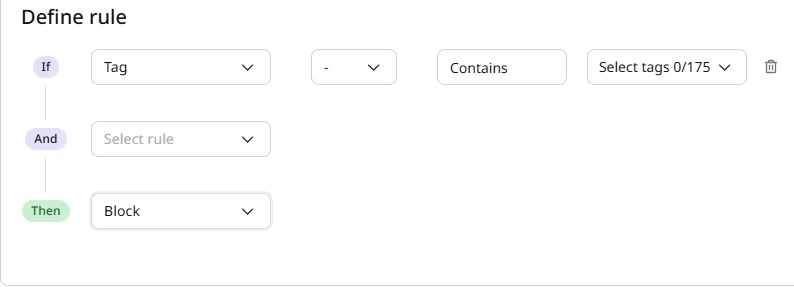
For example, check the following tag-based rule that blocks traffic if the tag associated with the request contains Hosting Services. You might want to prevent such traffic from reaching your domain because these IPs are more likely to belong to automated users rather than humans.
 ## Tag generating rules
You can also create rules that will generate any tags of your choice based on the conditions you define. These generated tags are known as **user-defined** tags.
Once you create a user-defined tag, it's automatically added to the list of pre-defined tags and becomes available for use in a tag-based rule.
The following examples demonstrate how you can apply user-defined tags.
Let's say you run an online shop that requires users to log in before checking out an order. You can create a rule that will generate a custom tag called `validuser` if the request header named `set-cookie` contains a cookie named `mycookie`, which indicates that the user is logged in.
## Tag generating rules
You can also create rules that will generate any tags of your choice based on the conditions you define. These generated tags are known as **user-defined** tags.
Once you create a user-defined tag, it's automatically added to the list of pre-defined tags and becomes available for use in a tag-based rule.
The following examples demonstrate how you can apply user-defined tags.
Let's say you run an online shop that requires users to log in before checking out an order. You can create a rule that will generate a custom tag called `validuser` if the request header named `set-cookie` contains a cookie named `mycookie`, which indicates that the user is logged in.
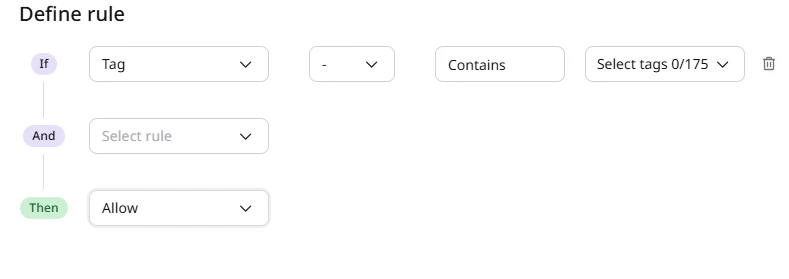
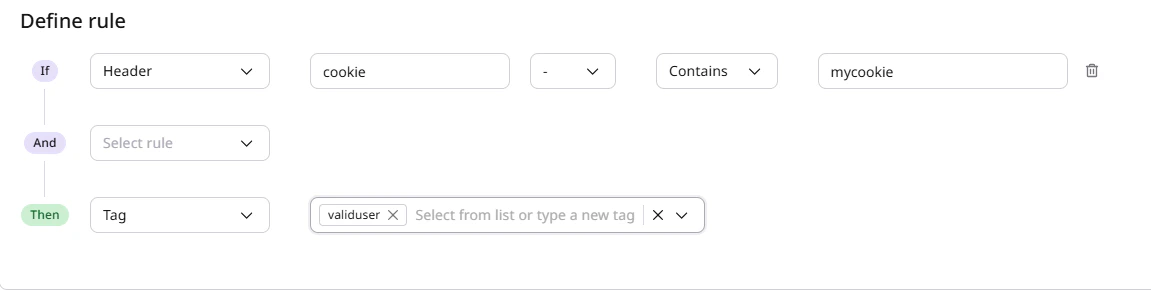 In this case, `validuser` will be your new user-defined tag that's now available for use in a tag-based rule.
 **Info**
Consider that rules with user-defined tags run before the rules, which use our pre-defined sets of tags.
For more examples of tag generating rules, check out the following guides: [Reserved tags](/waap/waap-rules/custom-rules/tag-rules/reserved-tags) (user-defined) and [Configure API access with reserved tags](/waap/api-discovery-and-protection/configure-api-access-with-reserved-tags).
**Info**
Consider that rules with user-defined tags run before the rules, which use our pre-defined sets of tags.
For more examples of tag generating rules, check out the following guides: [Reserved tags](/waap/waap-rules/custom-rules/tag-rules/reserved-tags) (user-defined) and [Configure API access with reserved tags](/waap/api-discovery-and-protection/configure-api-access-with-reserved-tags).