

Frequently asked questions
Protected IP assignment
Protected IP assignment
Gcore assigns a protected IP from the Anycast pool automatically.
Changing the origin address
Changing the origin address
Click Edit protection and update Origin address. The field accepts an IPv4 address or a domain name. The assigned proxy IP does not change.
Editing proxy settings
Editing proxy settings
Server name, Origin address, applications, ports, and Proxy protocol can be changed from Edit protection. Port mappings can also be created through the API.
Supported application types
Supported application types
Any TCP or UDP application can be protected with a profile from Supported applications. If the exact profile is not in that set, use Generic TCP Server or General UDP Countermeasure. An incorrect profile may cause legitimate traffic to be blocked during an attack.
TCP handshake and attack protection
TCP handshake and attack protection
Edge Proxy validates TCP handshakes. Attack mitigation is always enabled, with a mitigation time of less than 1 second. Traffic is distributed across Gcore locations using Anycast, providing a combined filtering capacity of 200 Tbit/s. Edge Proxy does not use null-routing of protected IPs as an attack mitigation method.
Connection limits
Connection limits
Edge Proxy does not apply connection limits.
Multiple proxies and applications
Multiple proxies and applications
Multiple proxies can use the same origin address with different ports or protocols, and several proxies can share the same protected IP address.
Port mappings and billing
Port mappings and billing
A port mapping connects one port and protocol on the protected proxy endpoint to an origin server. One application can use several port mappings: TCP and UDP on the same port count as two. Two TCP ports on the same server count as two mappings.The billing period uses the highest number of port mappings active at any time in that period. Going from 2 mappings to 5 and back to 2 means the period is billed as 5. Deleting mappings does not reduce that maximum. Deleting the proxy does not cancel the billing commitment for the current period — cancellation takes effect from the next billing period. Attack traffic is not billed.
IP addresses to allow on the origin
IP addresses to allow on the origin
Edge Proxy connects to the origin over IPv4 from Gcore edge servers, which also serve Gcore CDN. Allow the addresses from
https://api.gcore.com/cdn/public-ip-list (addresses) or https://api.gcore.com/cdn/public-net-list (addresses) and block all other sources.The protected IP is not a source address, so allowing it on the origin has no effect. See Restrict access to the origin.Setup duration
Setup duration
Activation typically takes about 3 minutes after clicking Deploy.
DNS migration
If clients connect using a domain name, update its A record to point to the protected IP. The protected IP is an IPv4 address. Propagation depends on the DNS TTL and can take from a few minutes to 48 hours — lowering the TTL before the switch reduces downtime. Existing connections to the origin continue until clients reconnect. New connections automatically use the protected IP.Troubleshooting
Clients cannot connect
Clients cannot connect
Verify that:
- clients connect to the protected IP:PORT, not the origin address
- the origin server is running and listening on the configured port
- the proxy protocol matches the application (TCP or UDP)
- firewall rules allow Gcore edge IPs
- DNS resolves to the protected IP (check with
digornslookup)
High latency through the proxy
High latency through the proxy
Compare latency on a direct connection vs the protected IP to isolate the source. If the origin server is far from Gcore PoPs, round-trip time increases. An incorrect application type can also cause retransmissions that appear as latency.
Legitimate traffic blocked during an attack
Legitimate traffic blocked during an attack
The most common cause is an incorrect application type — the countermeasure profile is not tuned for the application and flags legitimate packets as malicious. Reconfigure the proxy with the correct application type. If the issue persists, contact support.
Connections time out intermittently
Connections time out intermittently
Some Gcore edge servers connect to the origin and others time out. The usual cause is a firewall, a per-IP rate limit, or an auto-ban tool on the origin host or at the hosting provider that blocks the busiest Gcore source addresses. Allow all Gcore edge IPs and exclude them from connection-rate limits and auto-ban rules.
Proxy active but no traffic reaches the application
Proxy active but no traffic reaches the application
Confirm clients are connecting to the protected IP:PORT and not the origin address directly. Test from a network other than the origin server’s, as local routing may bypass the proxy.
Contact Gcore support
If the issue persists, reach Gcore support.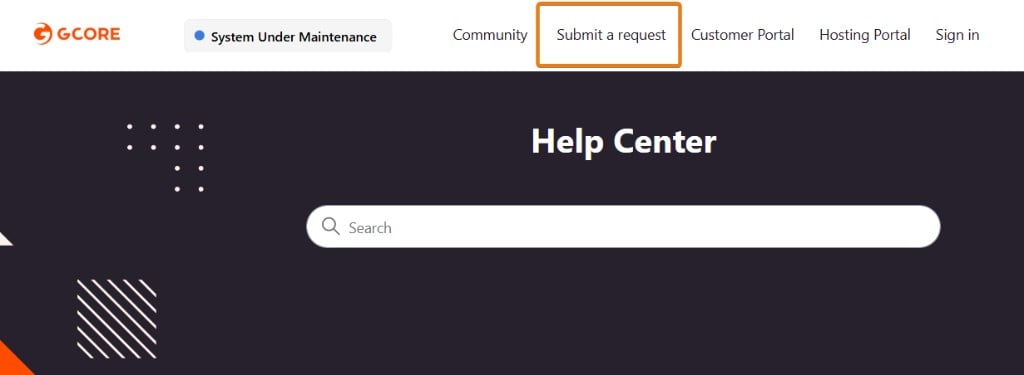
- Account ID
- Proxy name and protected IP
- Description of the issue
- Steps already taken
- Screenshots or logs, if available