

clientID.gvideo.io streaming domain does not support it.
Secure tokens and access policies
Secure tokens control per-user access (WHO can watch). Access policies on a custom CDN resource control location-based access (WHERE content is available):
Access policies require no backend code. Video secure tokens require a backend service that generates a signed URL for each authenticated request.
Request validation
Token validation happens on every CDN request — each stage produces a distinct HTTP response code depending on the token state.- The backend generates a signed URL — an MD5 hash of the content identifier (video slug or stream ID), secret key, and expiration timestamp.
- The client uses the signed URL to request video content.
- The CDN validates the token on every request and returns:
- 200 OK — token is valid and has not expired
- 403 Forbidden — token is invalid (bad signature or wrong IP)
- 410 Gone — token is valid but has expired
Enable the secure token
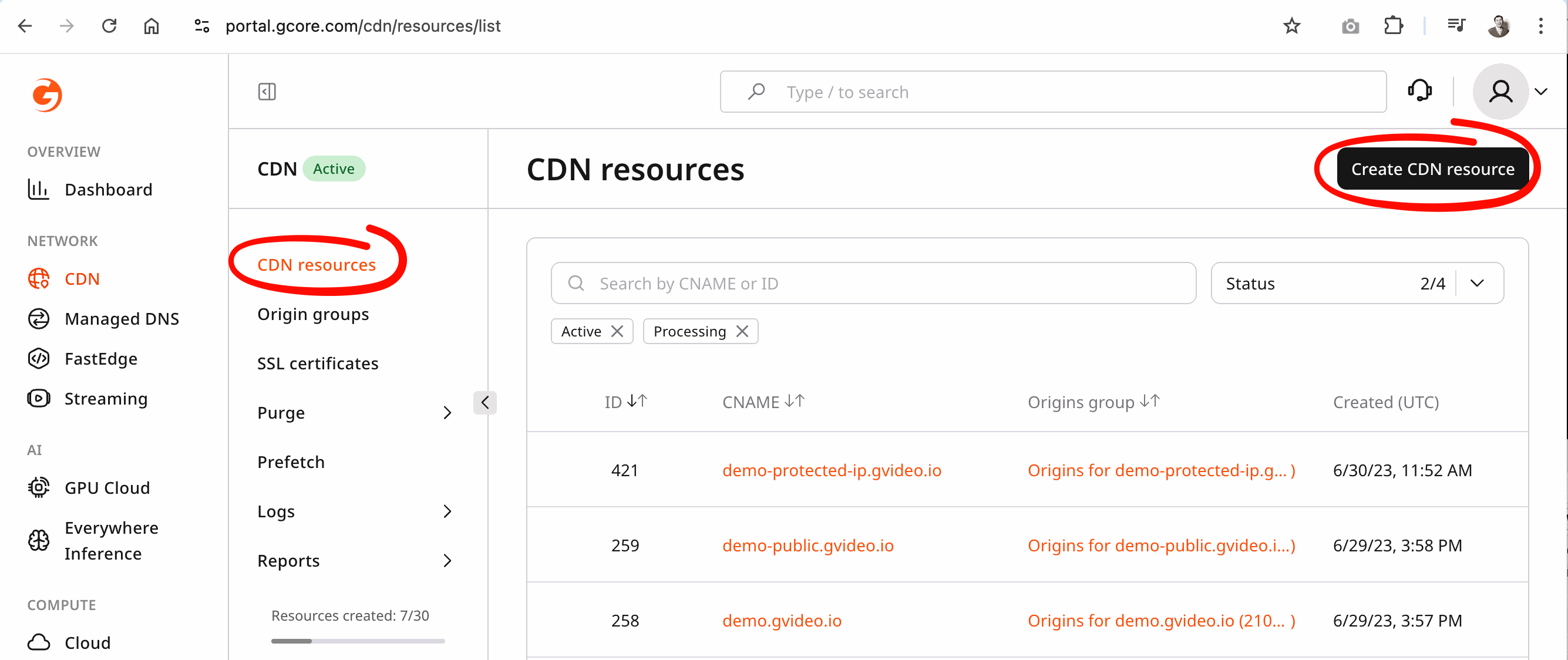
The feature is configured in the Access section of the CDN resource settings. Complete these steps in order:- Activate the CDN product on a paid tariff.
- Create a new custom CDN resource for the streaming origin — follow the Custom CDN resource guide.
- In the CDN resource settings, navigate to the Access section and enable Secure token. Enter a key and optionally enable Add a client’s IP to the token for IP binding.
- Contact Gcore Support to configure
Streaming Rules— Support routes streaming content correctly through the custom CDN resource.
Protected URL format
A protected URL embeds the token and expiration timestamp in the path:videos— for VOD,cmaf|mpegts— for LIVE{account_id}— account ID{video_id}— video slug (VOD) or stream ID (live){token}— MD5 hash of the content identifier, secret key, and expiration{expiration}— Unix timestamp (seconds) at which the URL expires
https://domain.com/videos/{account_id}_{video_slug}/{token}/{expiration}/manifest.m3u8https://domain.com/videos/{account_id}_{video_slug}/{token}/{expiration}/segment-1-svod720n-v1-a1.tshttps://domain.com/videos/{account_id}_{video_slug}/{token}/{expiration}/720.mp4
https://domain.com/cmaf/{account_id}_{stream_id}/{token}/{expiration}/master.m3u8https://domain.com/cmaf/{account_id}_{stream_id}/{token}/{expiration}/index.mpd
1755007200 (Tuesday, August 12, 2025 at 14:00:00 UTC) at 15:15 UTC on the same day: