

When to add a registry
A registry record is required when the container image is stored in a private repository. If the image is publicly accessible (no login required to pull it), set Registry type to Public in the deployment form — no registry record is needed. Private images are common when:- The model weights or fine-tuning data are proprietary and must not be publicly accessible.
- The image is stored in an organization’s private Docker Hub, GitHub Container Registry, or Hugging Face repository.
- The registry is a self-hosted instance not exposed to the public internet.
Add a registry
Navigate to Everywhere Inference > Registries in the Gcore Customer Portal and click Add registry.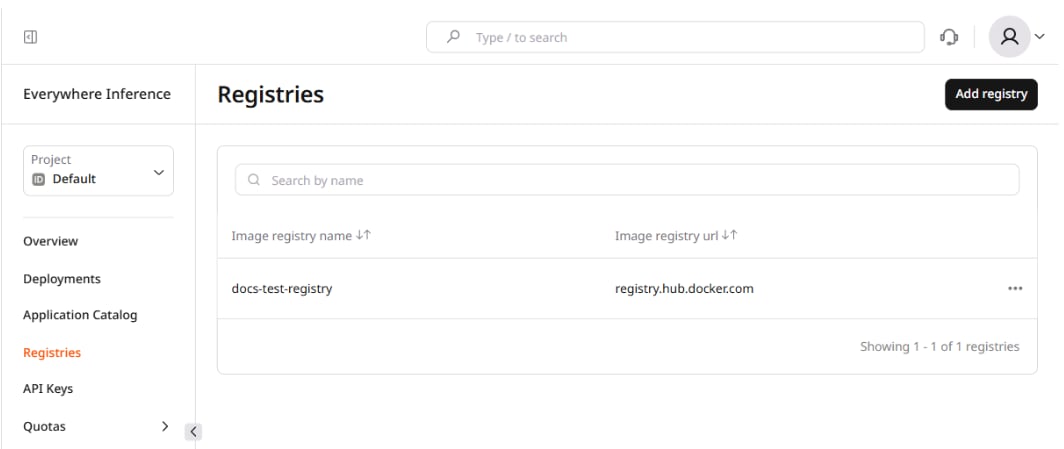
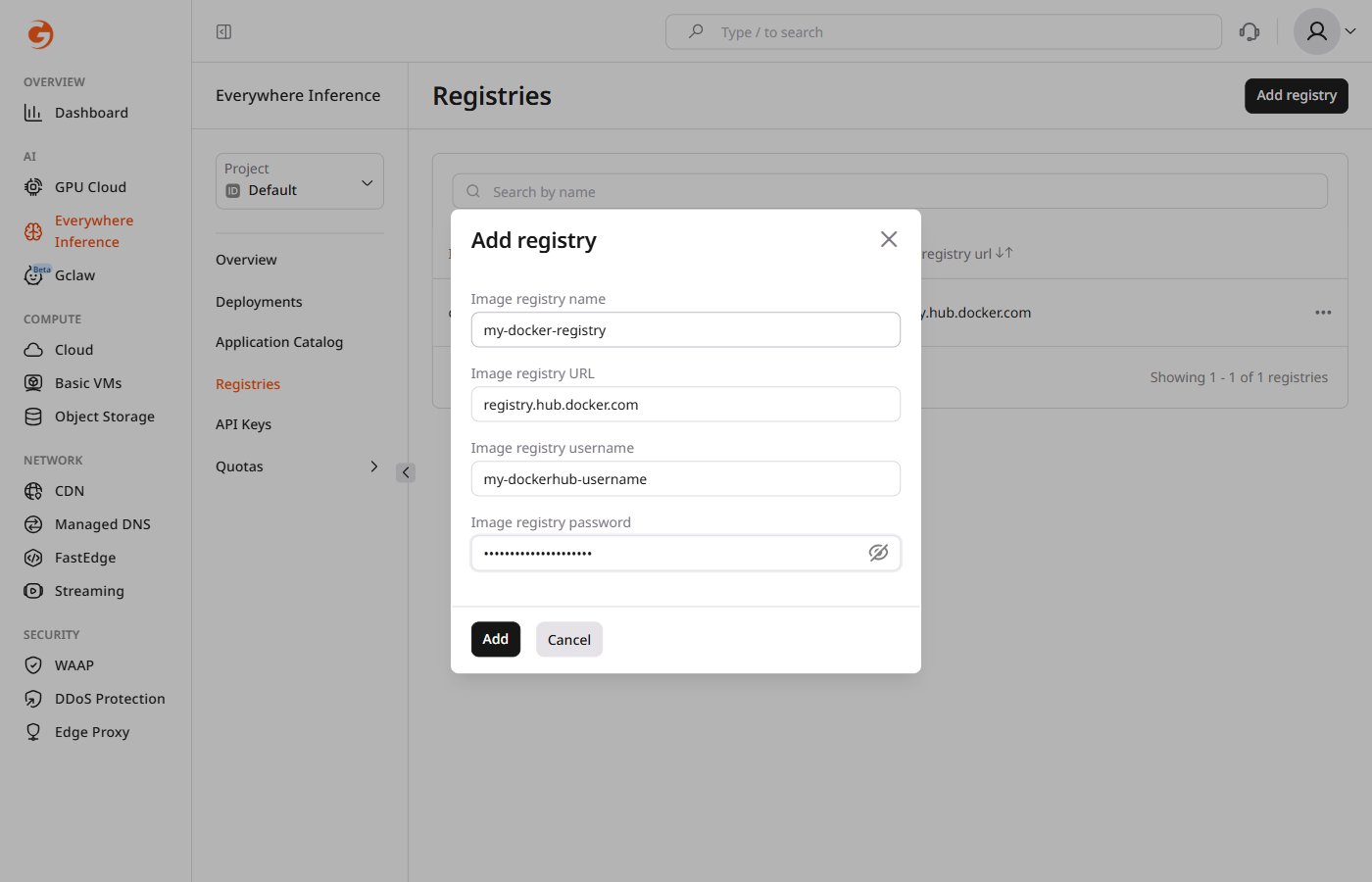
The registry URL is the hostname only. The full image pull address is formed by combining the registry URL with the image path entered in the Model image URL field when creating a deployment:
registry.hub.docker.com/myorg/mymodel:v1.2.Registry URLs and credentials
The table below lists authentication details for commonly used registries:
After the registry is added, it appears in the list and becomes available in the Registry dropdown when deploying a custom model.