

Presigned URL workflow
1
Generate the URL
The storage owner sets an expiry time and generates a presigned URL.
2
Share the URL
The owner sends the URL to users who need temporary access to the file.
3
Recipients receive the URL
Recipients receive a URL in the following format:
4
File access
During the link’s lifespan, anyone with the URL can view and download the file.
5
Link expiry
When the link expires, the file becomes inaccessible. Clicking the link returns an 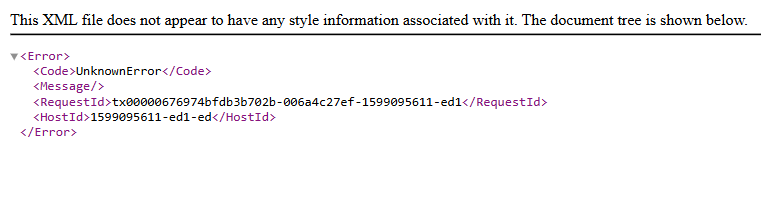
UnknownError response:Presigned URL generation
AWS CLI and S3cmd both support presigned URL generation.AWS CLI
Run the following command, replacing the placeholder values:
The command outputs a presigned URL. Copy and send it to the intended recipients.
S3cmd
The S3cmdsignurl command takes a bucket path and an expiry timestamp rather than a duration in seconds.
Run the following command, replacing the placeholder values:
Alternatively, set the expiry using a shell expression — this example sets a 7-day lifespan: