

- Click the profile icon in the top-right corner.
- Select Profile.
- Navigate to Billing > Bonuses and discounts.
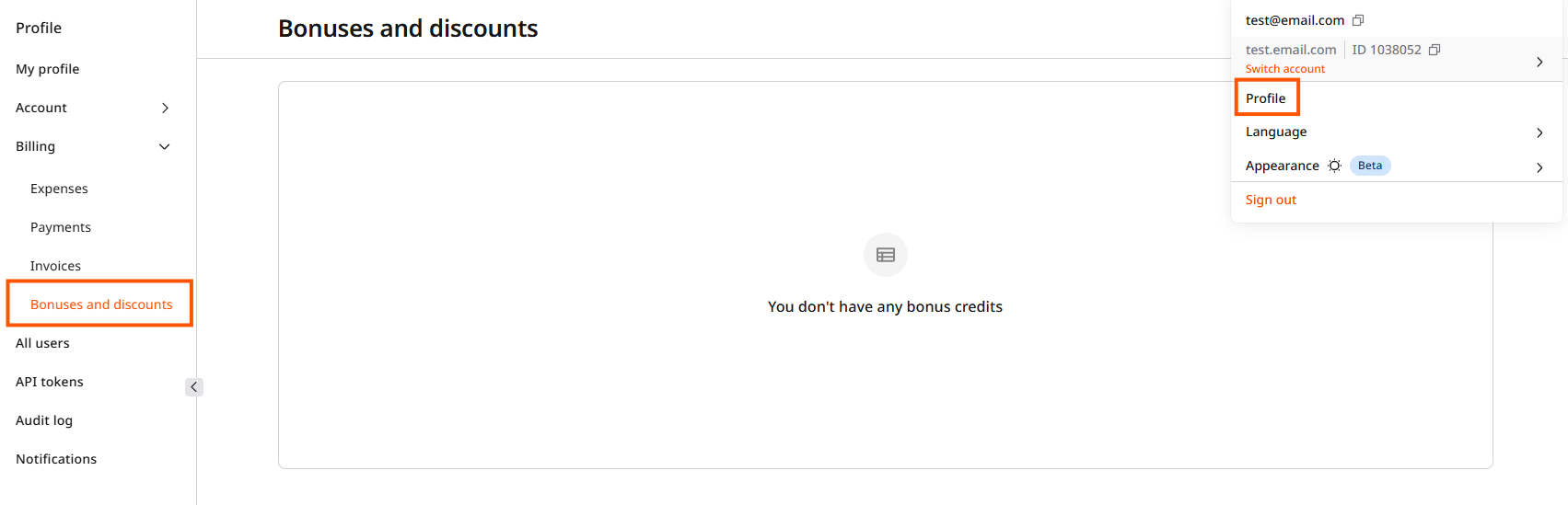
Bonus credits
Bonus credits are points credited to an account for a limited period and used to pay for Gcore products. They are credited to the bonus account at Gcore’s discretion. Bonuses convert to currency at a fixed one-to-one rate, so 10 bonus credits equal $10 in the account’s currency.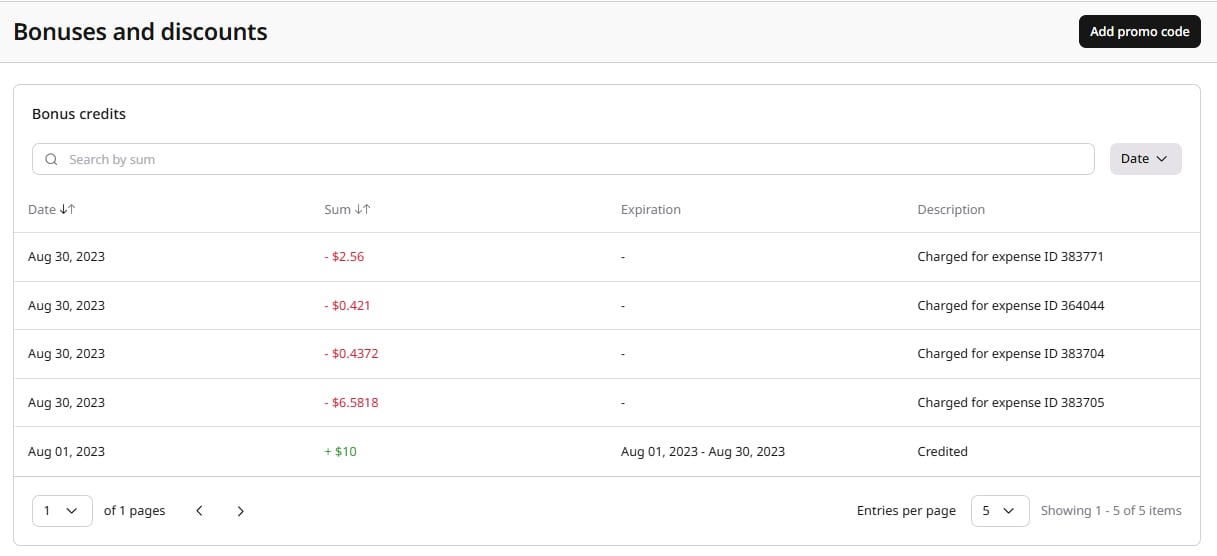
Bonus credits statuses
The Description column shows one of three statuses.
Bonus credits can be searched by sum using the search field, and filtered by date using the Date dropdown.
Bonus applicability
Bonuses can be configured to apply to specific product categories (Cloud, CDN, or another category). A bonus limited to certain categories applies only to expenses in those categories, while a bonus without category restrictions applies to all eligible expenses. A bonus with a start date in the past is automatically applied to any existing unpaid charges within that period.Promo codes
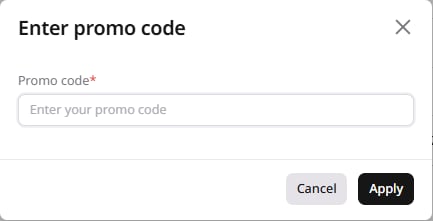
To apply a promo code and receive bonus credits:- Click the Add promo code button in the top-right corner of the page.
- In the Enter promo code dialog, enter the code and click Apply.
Bonus debiting
Bonuses are debited automatically as part of the payment for products, applied to expenses to reduce the total amount due. The applied amount appears in billing details and on invoices as a credit value against the affected expense items, reducing the final invoice total accordingly.Discounts
The Discounts section displays all active discounts applied to the account.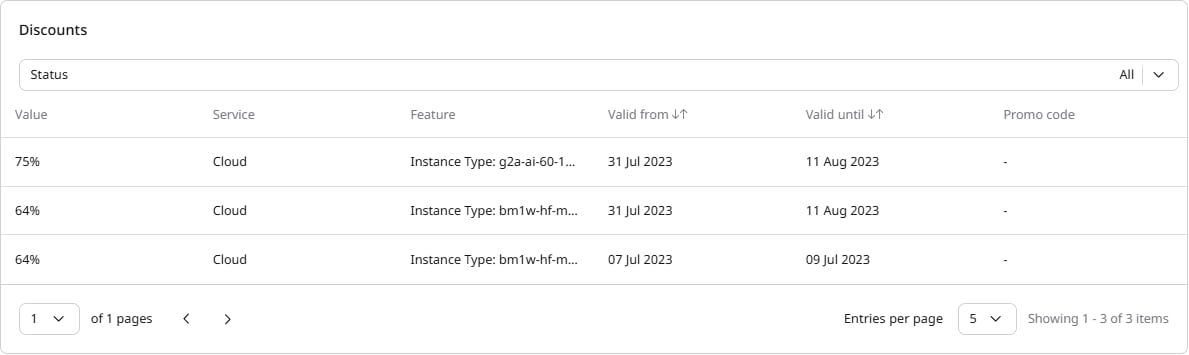
Discounts can be filtered by status using the Status dropdown.