

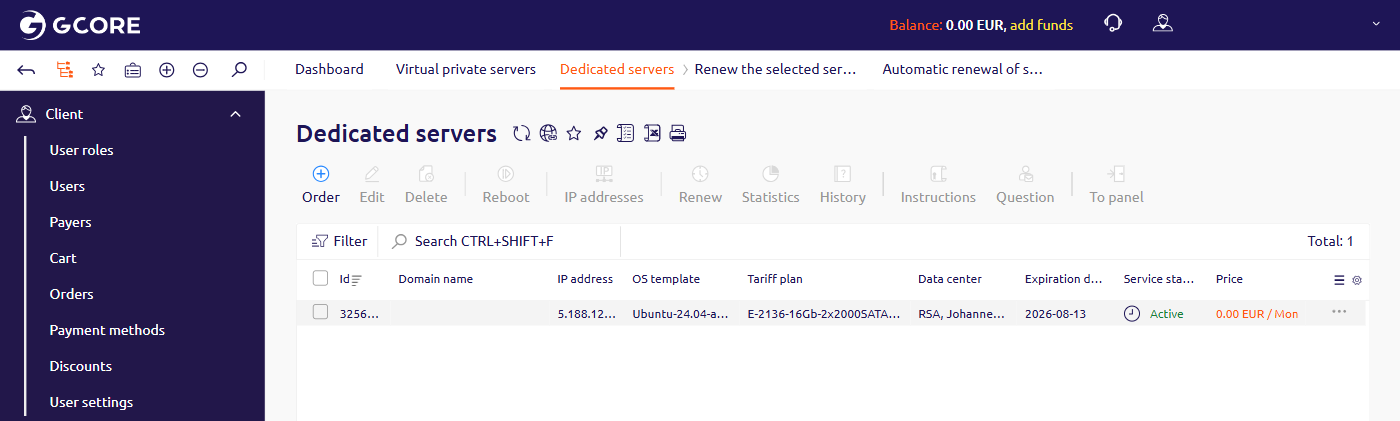
- In the left sidebar, navigate to Products/Services > Dedicated servers.
- Select the server row.
- In the toolbar, click Renew.
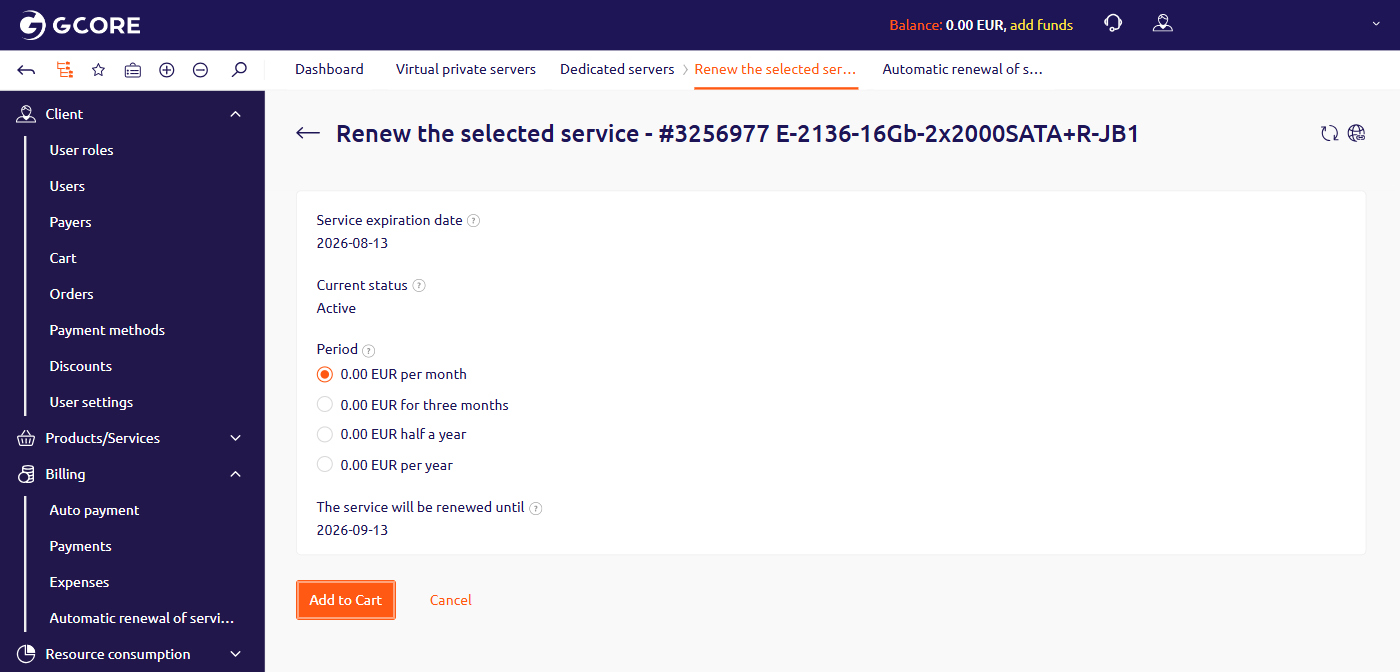
- Select the renewal period.
- Click Add to Cart and complete the checkout to process the payment.
Insufficient funds on the balance
If there is not enough money on the balance at the beginning of a new payment period, the server will be suspended. Servers with the KVM-SSD-1 plan are automatically deleted five days after suspension: all data is permanently deleted, and the servers disappear from the account. Servers with other plans are deleted 14 days after suspension. Once the payment is sent, the server reactivates automatically within five minutes. The payment methods article covers all supported options.Once the account balance is recharged, the suspended server reactivates automatically. To avoid automatic reactivation of an unwanted server, delete it before recharging.