

Auto payment covers service plan renewals only. Traffic overcommit charges must be paid by adding funds through the available payment methods.
Enable auto payment
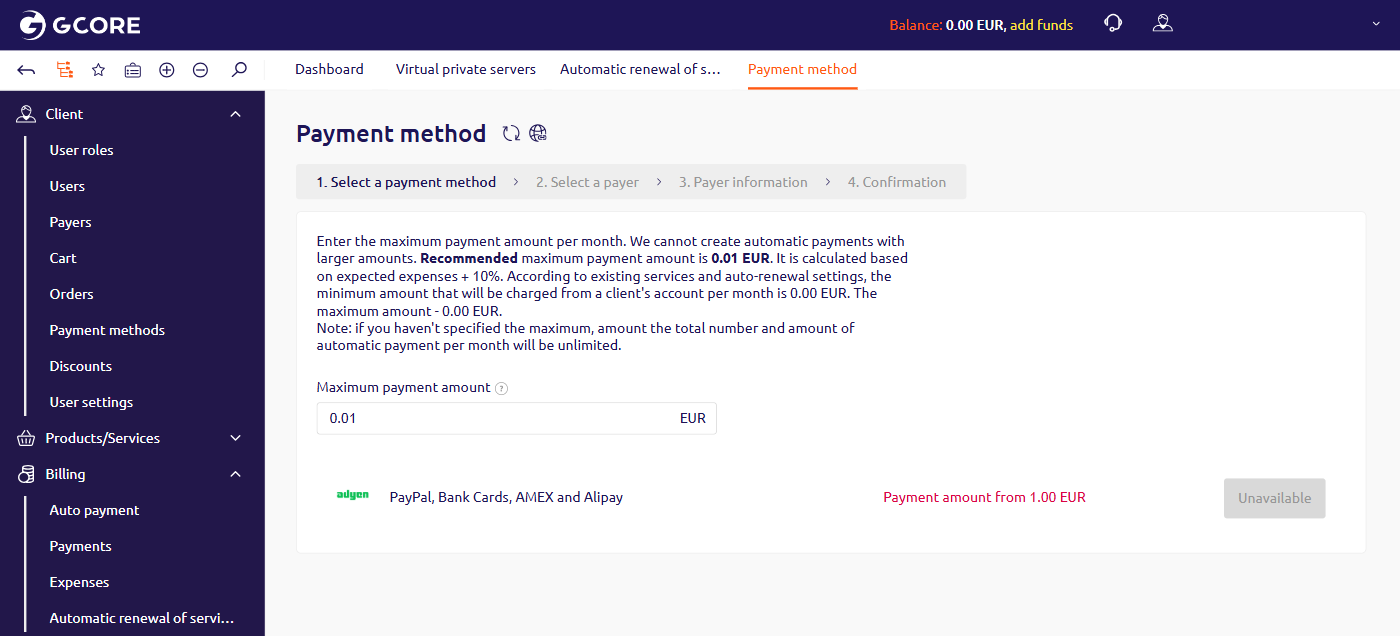
To set up auto payment, configure the monthly charge limit and link a payment method through the wizard.- In the left sidebar, navigate to Billing > Auto payment.
- In the Maximum payment amount field, enter the maximum amount that can be charged per month. Leave the field empty to set no limit. A recommended amount is pre-filled, based on expected expenses plus 10%.
- In the payment method table, click the button next to the method to use.
- Follow the remaining wizard steps to select a payer, enter payer information, and confirm.
Auto payment behavior
Auto payment operates automatically after setup, with the following rules.- Auto payment triggers when the balance is insufficient to cover a due renewal — for services with auto-renewal enabled or with daily billing.
- After a payment is created, the system attempts to charge the linked payment method once a day. A portal notification appears if the charge fails.
- Auto payment does not cover traffic overcommit charges.