

These lists are managed by independent organizations. Gcore cannot remove IP addresses from third-party services and does not permit use of its services for distributing spam, chain letters, or unsolicited bulk email per clause 6.4 of the User Agreement and the Acceptable Use Policy. If delivery is affected, ordering an additional IP may help.
Reduce the risk
Best practices for sending email from a Gcore server:- Send mail only to recipients who opted in.
- Include an unsubscribe link in every email.
- Configure SPF, DKIM, and PTR records correctly.
Check if the IP is flagged
MXToolbox checks a mail server IP against multiple email reputation databases.1
Run a check on MXToolbox
Go to MXToolbox and enter the server IP address in the Server IP or Domain field, then click Blacklist Check.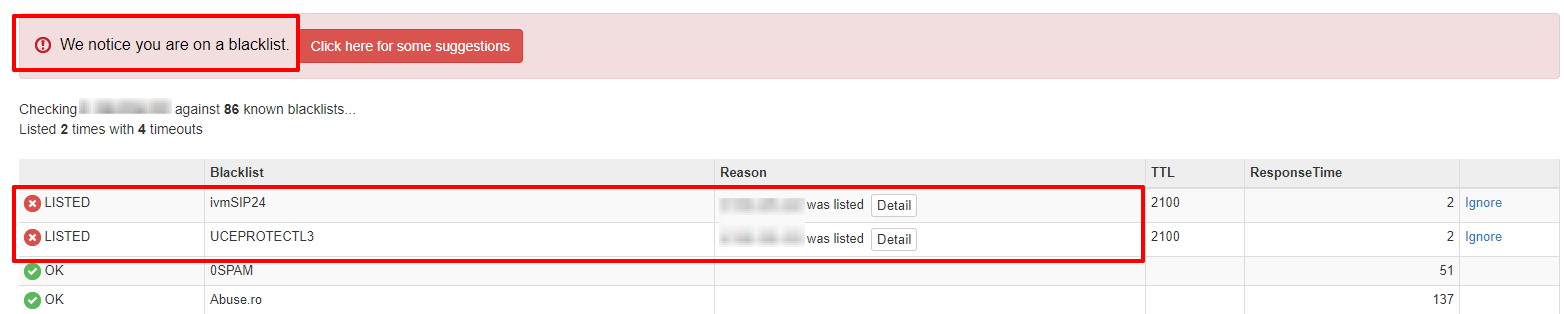
2
Open the listing details
For each LISTED entry, click Detail to see the reason and removal instructions.
3
Request removal
Follow the removal instructions provided by the operator. Most services require submitting a request through a web form or email.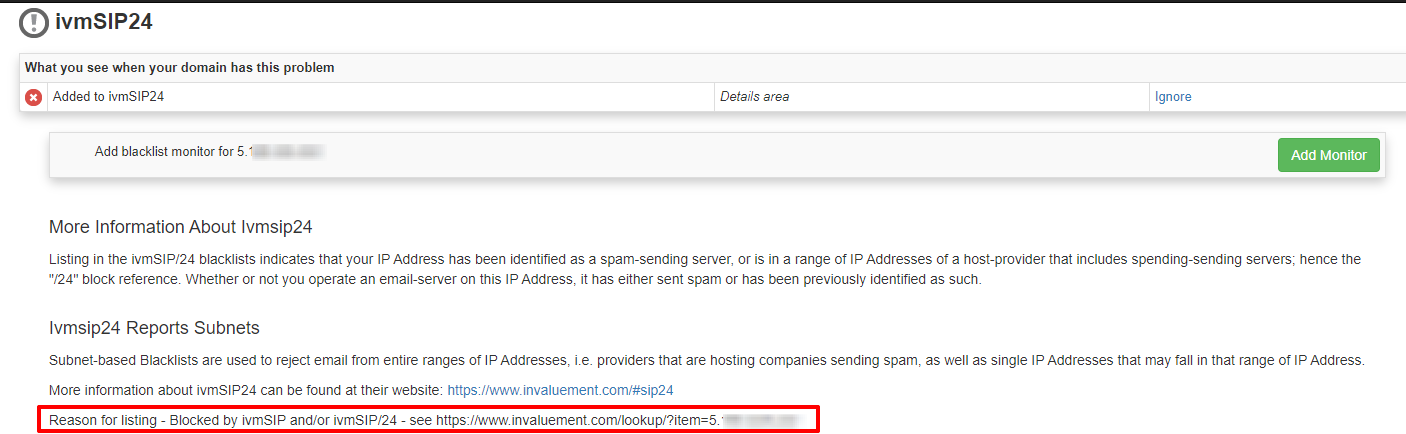
4
Wait for a response
Re-run the check periodically until the IP is no longer listed.