

The primary IP address does not respond
If the OS was installed from a custom ISO image, the network interface must be configured manually — the IP address, subnet mask, and default gateway are not set up automatically. To view the network settings assigned to the server, navigate to Dedicated servers in the Hosting portal, select a server, and click IP addresses.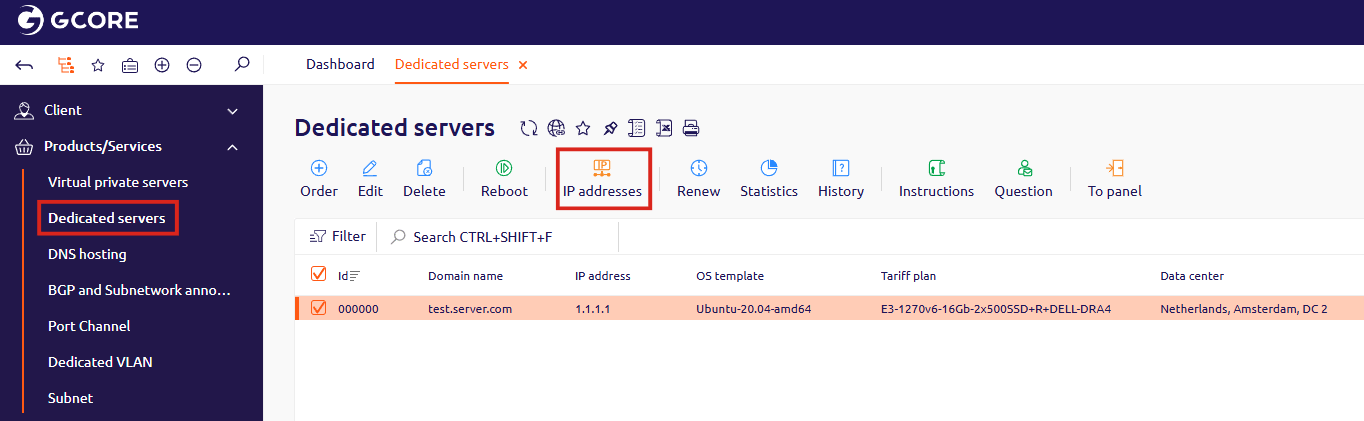
An additional IP address does not respond
If the primary IP address is reachable but an additional IP address is not responding to ping, verify that the additional address has been configured in the operating system.The server is unreachable only from China
If the server is reachable from other countries but not from China, the IP address may be blocked by the Great Firewall. Use these tools to verify:- PingChinaz — shows connectivity status in China only
- ping.pe — shows worldwide connectivity status, including China