

Check port 22 availability
Test whether port 22 is reachable usingtelnet:
Verify credentials
If port 22 is open but the SSH client reports an authentication error, the credentials may be incorrect. To retrieve the correct login and password from the Hosting portal:- In the Hosting portal, open Products/Services → Virtual private servers.
- Select the server row, then click Instructions in the toolbar.
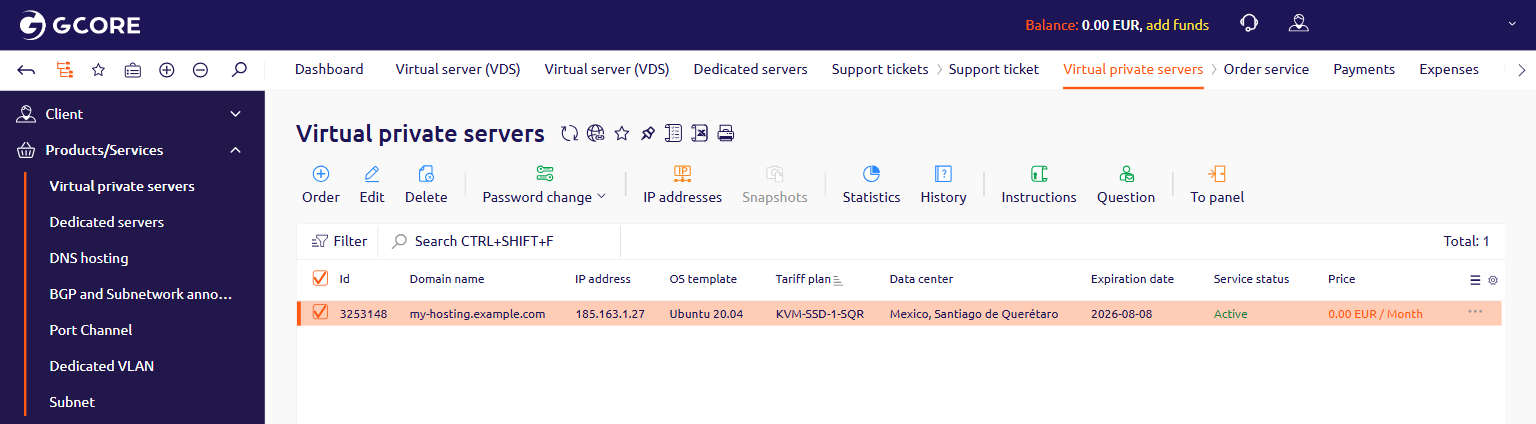
- In the Server information section, find the User and Password fields. Use these credentials to connect.
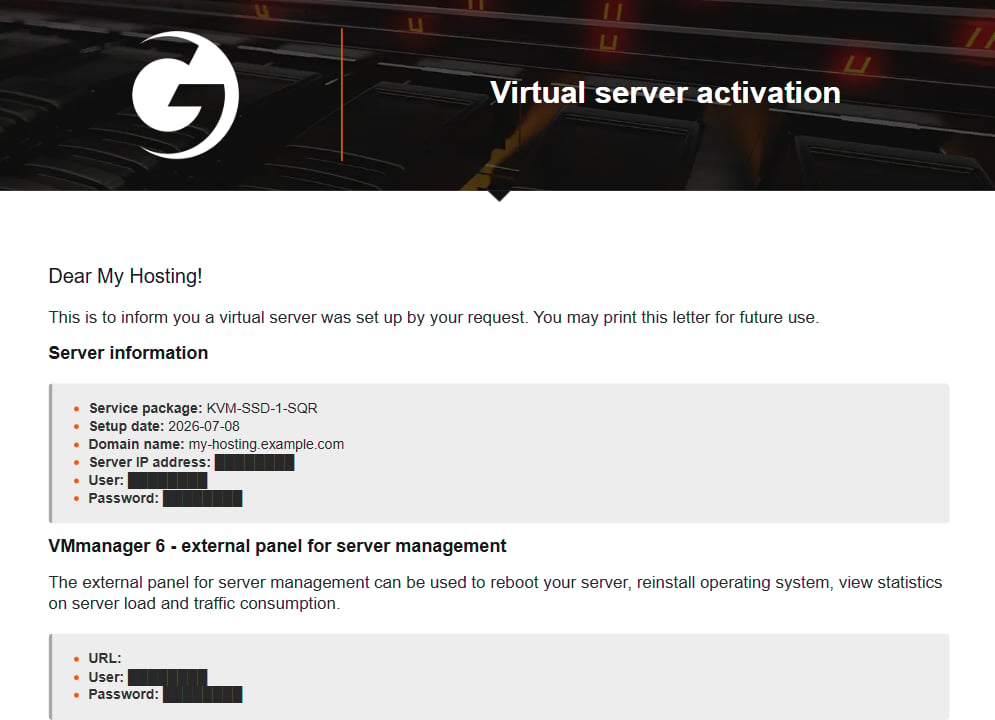
The Instructions page shows the credentials set when the server was created. If the OS password was changed after provisioning, the updated password won’t appear here.
Access the OS directly
If port 22 is not reachable (telnet returns “Connection refused” or times out), the SSH service may be stopped or misconfigured at the OS level. Access the server console to diagnose the issue:- Virtual private server — connect via VNC using VMmanager. The VMmanager credentials are listed on the same Instructions page.
- Dedicated server — connect via IPMI using DCImanager. The DCImanager credentials are also in the Instructions page.