

For KVM-SSD-1 virtual private servers, the limit is 2 additional IPv4 addresses and 2 additional IPv6 addresses.
1
Open the IP addresses list
Navigate to the Dedicated Servers or Virtual private servers tab in the Gcore Hosting Portal. Select the server and click IP addresses.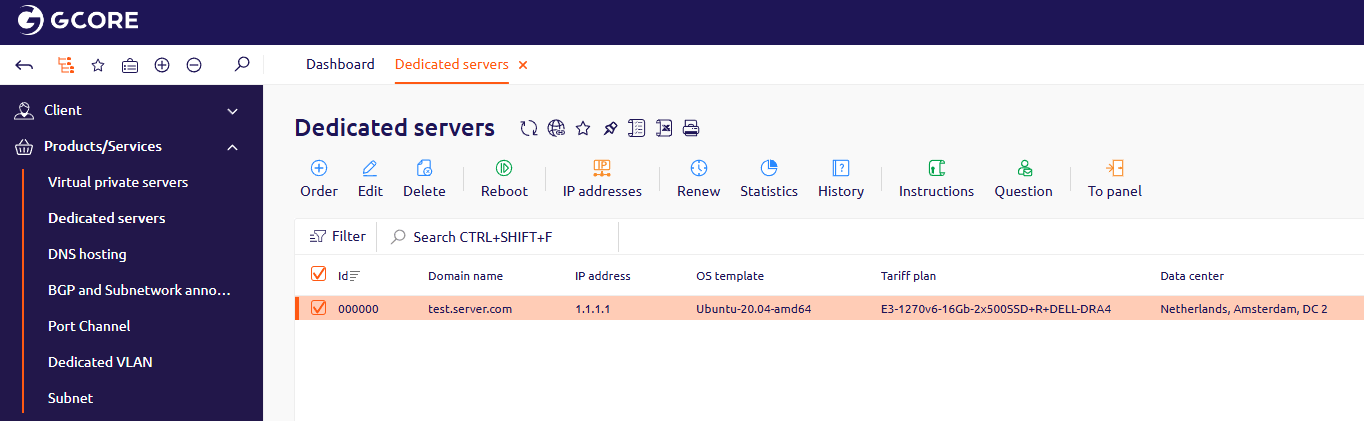
2
Place the order
Click Order.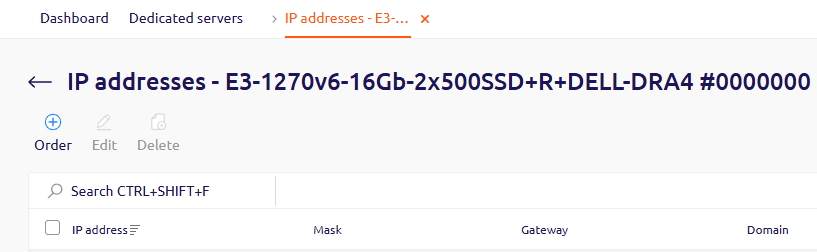
3
Complete the order
Enter the number of IP addresses and complete the order.After the order is processed, the new IP addresses appear in the IP address list. Configure them in the operating system before using them.To configure a large number of addresses automatically, reinstall the operating system — the reinstallation process applies the full network configuration, including all assigned IP addresses.