

1
Open the SSH configuration file
2
Update the Port line
Find the Port line and replace the value 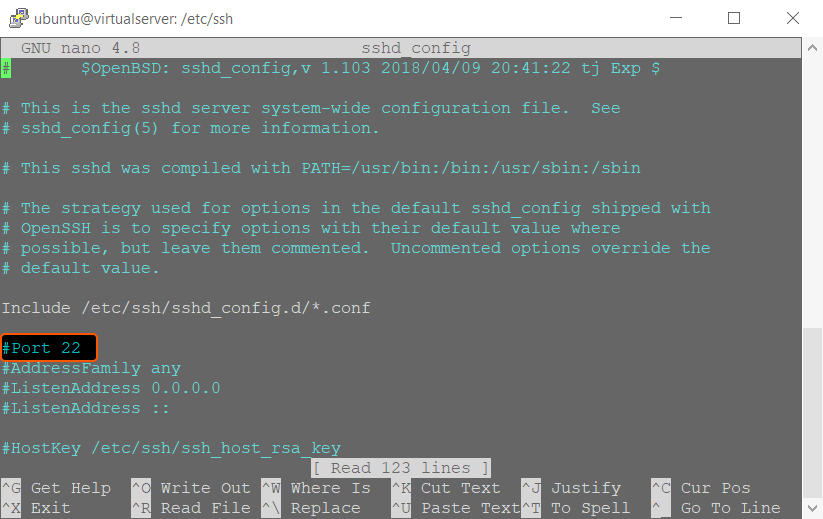
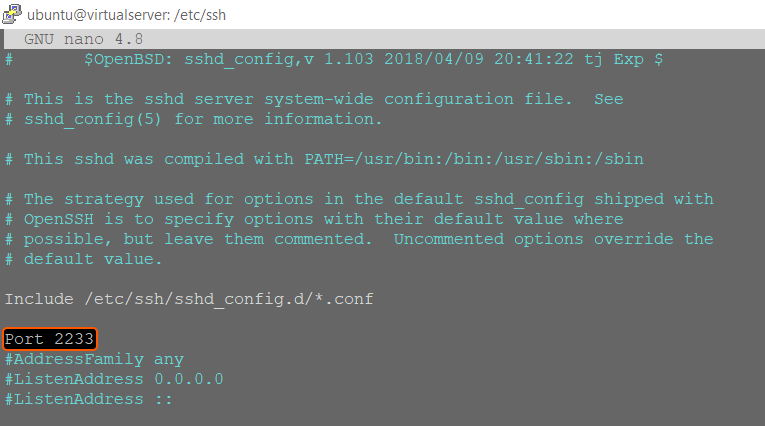
22 with the new port number. If the line begins with #, remove the # to uncomment it first.3
Save and close the file
Press Ctrl+O, then Enter to confirm the filename, and Ctrl+X to exit nano.
4
Restart the SSH service
On Ubuntu and Debian:On CentOS, AlmaLinux, and Rocky Linux:On FreeBSD:
5
Allow traffic on the new port
On Ubuntu and Debian (ufw):On CentOS, AlmaLinux, and Rocky Linux (firewalld):Replace
2233 with the chosen port number.6
Verify the port is reachable
From a local machine (not from the server), run:Replace 
<server_ip> with the server IP address and 2233 with the chosen port. A successful response includes the SSH banner line starting with SSH-2.0.7
Test the SSH connection